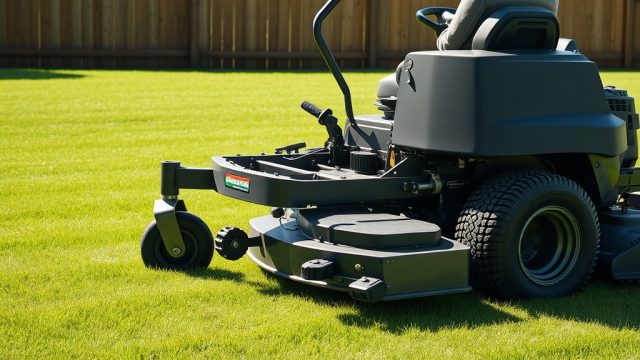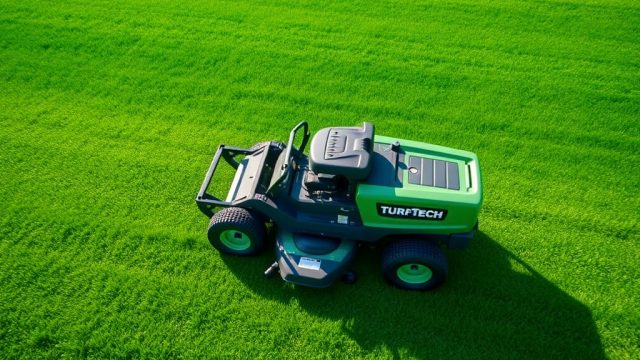
Proper adjustment of the TurfTech T-4600E deck anti-scalp wheels is critical for achieving a consistent, even cut across your lawn. Misaligned or improperly set wheels can lead to scalping on uneven terrain or an uneven cutting deck, negating the machine’s performance. This guide provides a systematic approach to adjusting these wheels, ensuring your T-4600E delivers professional-grade results every mow.
What Are the Symptoms of Incorrect Anti-Scalp Wheel Adjustment?
Incorrect adjustment of the anti-scalp wheels on the TurfTech T-4600E manifests in several distinct symptoms. The most common is scalping—where the mower blade cuts into the turf on bumps or dips, leaving brown patches. You may also notice an uneven cut height across the deck’s width, with one side cutting lower than the other. Excessive wear on the anti-scalp wheel tires themselves, such as uneven tread wear or flat spots, is another telltale sign. Additionally, the deck may bounce excessively over uneven ground, indicating the wheels are not making proper contact to stabilize the deck.
How Do I Adjust the Anti-Scalp Wheels for a Level Deck?
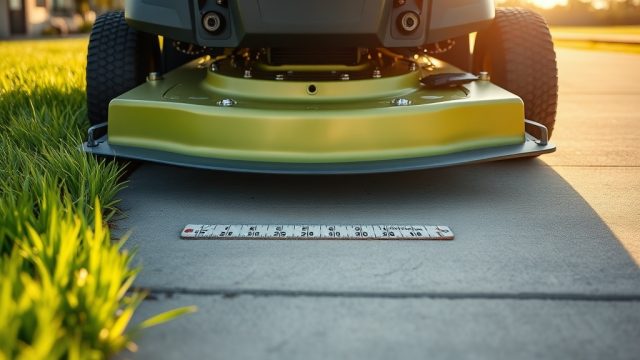
To begin, park the T-4600E on a level concrete or asphalt surface. Engage the parking brake and ensure the engine is off and the ignition key is removed. The anti-scalp wheels are typically mounted on brackets with a single bolt and nut per wheel. You’ll need a 12mm socket, a 12mm wrench, and a tape measure.
First, check the deck level itself. Measure from the cutting blade tips to the ground at each corner of the deck. The deck should be level side-to-side and slightly lower at the front (typically 1/8 to 1/4 inch) for optimal cutting. If the deck is not level, refer to the TurfTech T-4600E Steering System Alignment: Step-by-Step Guide for deck leveling procedures. Once the deck is level, measure the distance from the bottom of each anti-scalp wheel to the ground. The wheel should contact the ground when the deck is in its lowest cutting position but should be about 1/4 to 1/2 inch above the ground when the deck is raised to the highest cutting setting. Adjust by loosening the mounting bolt and sliding the wheel bracket up or down. Tighten to 25 ft-lb of torque.
What Is the Correct Cutting Height for Anti-Scalp Wheel Position?
The anti-scalp wheel position is directly related to your desired cutting height. The T-4600E manual recommends that the wheels sit 1/4 to 1/2 inch above the cutting blade tips when the deck is at the lowest cutting setting. This prevents the wheels from digging into the turf and causing scalping during tight turns or on uneven ground. For typical residential lawns (2-3 inches), set the wheels so they just touch the ground when the deck is at the lowest cutting height. For taller cuts (3-4 inches), raise the wheels by about 1/4 inch to avoid scalping on slopes.
A practical method: With the deck set at your desired cutting height, lower the deck until the blades are just above a hard surface. Adjust each wheel so that a 1/2-inch thick block can slide easily under the wheel. This ensures the wheel is not carrying the deck weight, which would cause an uneven cut. Always adjust all four wheels symmetrically for even deck load distribution.
| Parameter | Recommended Value | Measurement Method |
|---|---|---|
| Wheel clearance above blade tip (lowest cut) | 1/4 to 1/2 inch | Use a tape measure from the ground to wheel bottom, subtract blade tip height |
| Wheel contact with ground (lowest deck position) | Just touching | Visual; wheel should roll freely but not lift deck |
| Wheel clearance above ground (highest deck position) | 1/2 to 1 inch | Measure from wheel bottom to ground with deck fully raised |
| Bolt torque | 25 ft-lb | Use a torque wrench |
| Wheel tire pressure (if pneumatic) | 15-20 psi | Use tire gauge; check for equal pressure on all wheels |
How Do I Diagnose Uneven Wheel Wear or Binding?
Uneven wear on the anti-scalp wheels indicates that the deck is not level or the wheels are not adjusted symmetrically. Inspect each wheel for flat spots, excessive sidewall wear, or cracks. If a wheel appears worn on one side, it may be binding in its mounting bracket. Binding can occur if the wheel axle is bent or if debris has accumulated around the bracket. Clean the bracket with a wire brush and lubricate the axle with silicone spray. Check that the wheel spins freely by hand; if not, loosen the bolt slightly and retest. Persistent binding may require replacing the wheel assembly. Ensure you use genuine TurfTech replacement parts for proper fitment.
What Are the Effects of Improper Adjustment on Cutting Performance?
Incorrect anti-scalp wheel adjustment directly compromises cutting quality. Wheels set too high allow the deck to dip into dips, causing scalping. Wheels set too low force the deck to ride on the wheels, leaving the blades too high off the ground, resulting in a poor cut and increased wear on the deck’s spindles and blades. Additionally, wheels that are not level side-to-side can cause the deck to tilt, leading to an uneven cut across the width. This can also strain the deck lift mechanism and belts. For long-term performance, check the adjustment each season or after hitting a solid object. Refer to the TurfTech T-4600E Deck Belt Replacement: Step-by-Step Guide if you notice belt wear during adjustment.
How Often Should I Inspect Anti-Scalp Wheels?
Inspect the anti-scalp wheels every 10 hours of operation or at the start of each mowing season. Visual checks include looking for cracks, excessive wear, or debris buildup around the bracket. Also, check the wheel’s rotation—if it feels rough or noisy, it may need lubrication or replacement. After mowing over rough terrain or hitting a rock or stump, inspect immediately. The wheels are a wear item; replace them every 2-3 seasons depending on usage. Genuine TurfTech anti-scalp wheels cost approximately $12 each, and the mounting bolt kit is around $8 per wheel. Proper maintenance prevents costly deck repairs and ensures consistent cut quality.
What Owners Say
Many T-4600E owners report that after correctly adjusting the anti-scalp wheels, they eliminate the scalping issue on uneven ground. One user on a lawn forum noted, “I was getting scalping on my sloped yard until I set the wheels to barely touch the ground at low cut. Now the cut is perfect.” Another owner mentioned that the wheels required adjustment after the first season due to settling of the deck’s suspension. Most recommend checking the wheels every time you change the oil or sharpen blades. However, some complain about the bracket bolts loosening over time; periodic re-torquing to 25 ft-lb solves this. Overall, the consensus is that proper adjustment is a simple but crucial step for maintaining the T-4600E’s performance.
Frequently Asked Questions
1. Can I adjust anti-scalp wheels without removing the deck?
Yes, you can access the mounting bolts from under the deck with a socket extension while the mower is on a level surface. Lower the deck to its lowest position for best access.
2. What torque should I use for the anti-scalp wheel bolts?
Torque the mounting bolt to 25 ft-lb using a torque wrench. Over-tightening can strip the threads on the bracket.
3. Should the anti-scalp wheels spin freely?
Yes, they should spin freely by hand. If they bind, clean and lubricate the axle. If still binding, replace the wheel assembly.
4. How do anti-scalp wheels affect traction?
They can improve traction on slopes by keeping the deck stable. However, if wheels are set too low, they can lift the deck, reducing blade-to-ground contact and worsening traction. For traction issues, see TurfTech T-4600E Front Wheel Drive Traction Slipping: Causes and Fixes.
5. Can I use anti-scalp wheels from other mower models?
It’s not recommended. The T-4600E requires specific wheel dimensions and bracket mounts. Using non-OEM parts can cause deck imbalance or wheel binding, leading to poor cut and potential damage.
6. What is the replacement interval for anti-scalp wheels?
Typically every 2-3 seasons, or earlier if you notice uneven wear, cracks, or difficulty rotating. Inspect them at the start of each season and after heavy use.
For further engine maintenance tips, including carbon buildup and spark plug care, refer to TurfTech T-4600E Carbon Buildup Removal: Step-by-Step Guide for Engine Performance and TurfTech T-4600E Spark Plug Replacement: Step-by-Step Guide and Tips. For ignition system diagnostics, see TurfTech T-4600E Ignition Coil Testing: Step-by-Step Guide and Tips.