TurfTech T-4600E Deck Pulley Bearing Replacement: Step-by-Step Guide
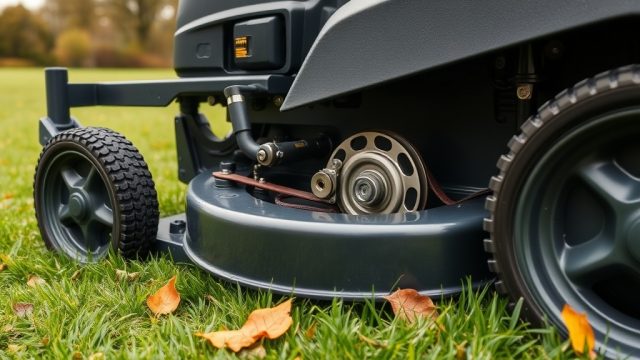
Deck pulley bearing failure on a TurfTech T-4600E can manifest as an annoying squeal, vibration, or uneven cut quality. This guide details the method for replacing the spindle and idler pulley bearings, saving the owner time and money compared to a full deck replacement. The process requires standard hand tools and a bearing press, and is rated as moderately difficult for the typical DIY owner.
Why Do Deck Pulley Bearings Fail on the T-4600E?
Deck pulley bearings on the T-4600E are exposed to grass clippings, moisture, and dust, which eventually break down the grease seals. When water enters, it accelerates rust and wear. Common failure signs include a grinding noise from the deck area, visible wobble in the pulley, excessive belt wear, or a burning rubber smell from the belt slipping. Left unattended, a seized bearing can damage the spindle shaft or the deck housing.
Before assuming the pulley bearing is the culprit, it is wise to rule out related issues. Check our guide on TurfTech T-4600E PTO Clutch Testing and Diagnosis Guide to verify the electric clutch is engaging. A failing PTO clutch can mimic pulley noise symptoms. Also, inspect the drive belts for fraying—replace them if in doubt.
What Tools and Parts Are Needed for the Replacement?
Gathering the correct tools and parts before starting will streamline the repair.
| Tool/Parts | Specification | Estimated Cost (GBP) |
|---|---|---|
| Socket set | 1/2″ drive, metric (10mm, 13mm, 15mm, 17mm) | £25–£40 |
| Torque wrench | 0–150 N·m range | £30–£60 |
| Bearing press or drift punch | 10-ton press preferred | £80–£150 (or rent) |
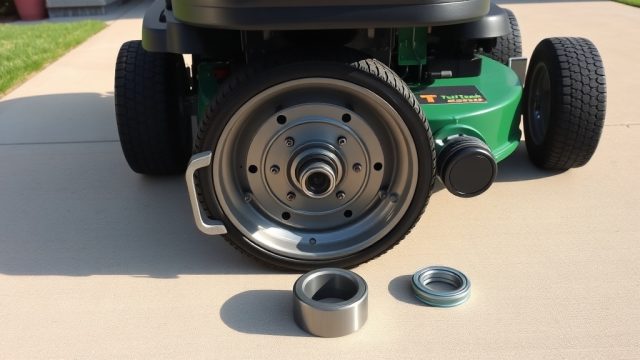
| Replacement pulley bearing | 6204-2RS (double sealed) or OEM #510-874 | £18–£25 each |
| Anti-seize compound | Copper-based | £8–£12 |
| Blue Loctite | Threadlocker medium strength | £10–£15 |
| Floor jack and jack stands | 2-ton capacity minimum | £50–£70 |
For the TurfTech T-4600E, the deck uses three spindle bearings (two outer and one centre) and two idler pulley bearings. Use an OEM or high-quality aftermarket bearing to ensure proper fitment.
How Do I Remove the Mower Deck Safely?
Before working, park the mower on a level, solid surface, engage the parking brake, and disconnect the battery (negative terminal). Remove the mower deck first as it blocks access to the pulley bearings. Disconnect the belt from the PTO clutch pulley, then remove the deck lift pins or linkage.
- Lower the deck to its lowest position.
- Remove the belt keeper and belt from the deck pulleys.
- Unbolt the deck mounting brackets (usually four bolts).
- Slide the deck out from under the mower (use a jack to support if needed).
Once the deck is out, place it upside down on a sturdy workbench. You will see the three spindle pulleys and two or three idler pulleys. Use penetrating oil and let it sit for 10 minutes.
If you encounter engine surging during operation, consult TurfTech T-4600E Engine Surge: Causes and Fixes before returning to service.
How to Remove the Old Spindle Bearing?
The spindle bearing is pressed into the deck housing and retained by a retaining ring. Remove the pulley retaining bolt (17mm) and lift off the pulley. Then remove the snap ring using snap-ring pliers. The bearing can be driven out using a drift punch from the opposite side.
- Mark the orientation of the pulleys for reinstallation.
- Use a press or a large hammer and drift to push the bearing out.
- Clean the bearing bore thoroughly with a wire brush and solvent.
- Inspect the spindle shaft for wear—replace if grooved or bent.
How to Install the New Deck Pulley Bearing?
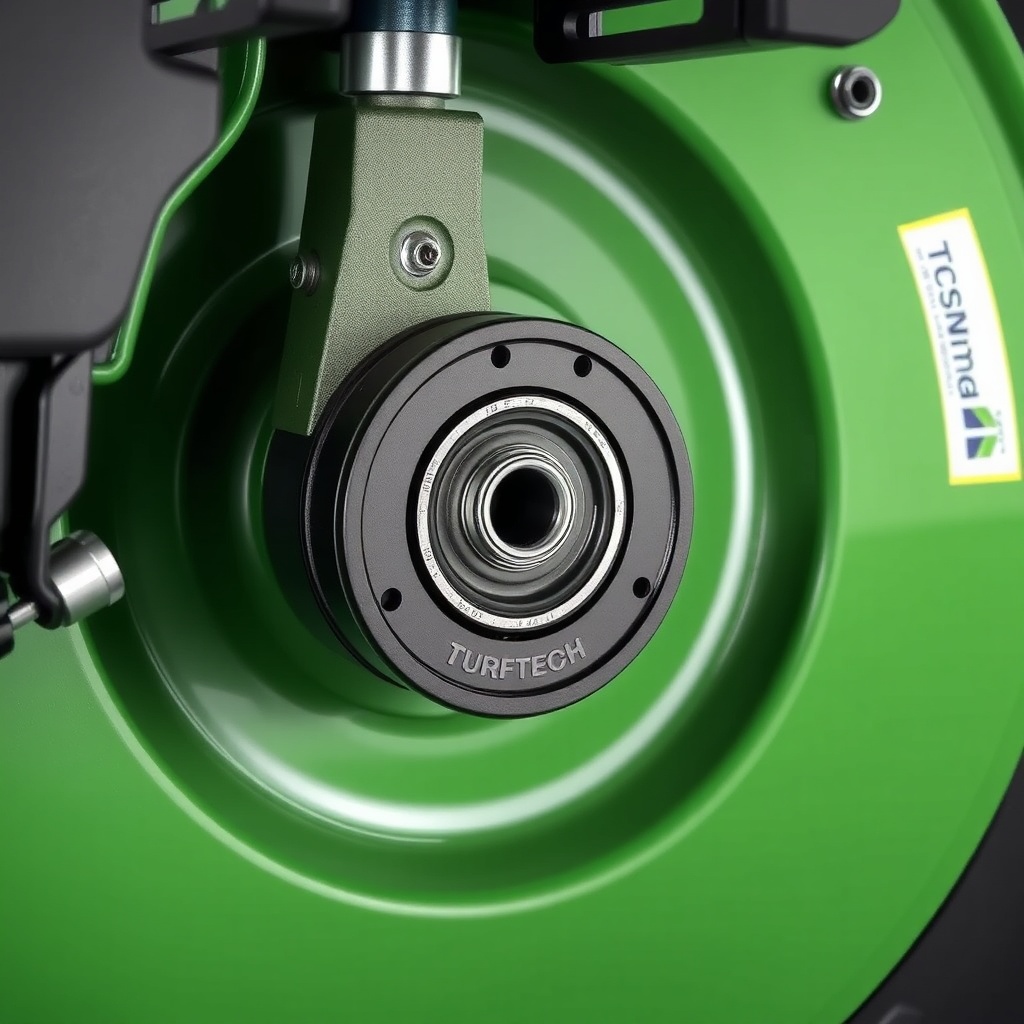
Applying anti-seize to the bearing bore prevents future seizure. Press the new bearing in squarely using a press or a socket of the same outer diameter. Seat it flush with the deck surface. Install the snap ring, then the pulley, and torque the retaining nut to 45 N·m.
For the idler pulleys, the process is simpler: remove the bolt holding the idler arm, replace the bearing (usually a sealed 6203-2RS), and reinstall. Use Loctite on the retaining bolt.
After replacement, spin each pulley by hand. It should rotate smoothly without wobble. If rough, recheck the bearing installation.
Before reinstalling the deck, perform a compression test to confirm engine health—see TurfTech T-4600E Engine Compression Test: Step-by-Step Guide and Symptoms.
What Do Owners Say About This Repair?
Owner forums for the TurfTech T-4600E indicate this is a common repair after 300–500 hours of use. Many recommend using OEM bearings to avoid early failure. One owner from Norfolk reported, “I replaced all three spindles and two idlers in an afternoon—the grinding noise vanished.” Another from Yorkshire noted, “The snap ring was rusted, had to use a punch and heat. Took longer but worth it.” Owners caution against using cheap bearings that fail within a season. Some suggest upgrading to double-sealed bearings for longer life.
When Should I Replace the Deck Pulley Bearings?
Replace bearings at the first sign of noise or visible wobble. Proactive replacement every 400 hours is advised. If the deck is removed for other repairs, consider replacing bearings as preventative maintenance. Check the TurfTech T-4600E Wheel Bearing Replacement: Step-by-Step Guide for similar wheel bearing issues that often happen concurrently. Also inspect the battery and charging system if the mower struggles to start—refer to TurfTech T-4600E Battery Charger Testing: Step-by-Step Diagnosis Guide.
Frequently Asked Questions
1. How often should I replace deck pulley bearings on the T-4600E?
Typically every 400–500 hours of operation, or when grinding noise appears. Units used in wet grass may need replacement sooner.
2. Can I grease the existing bearings?
The bearings are sealed (2RS) and not serviceable—must be replaced.
3. Should I replace all bearings at once?
Yes, to avoid future failures and to save labour. The bearings are inexpensive relative to time spent.
4. What torque specification for the spindle pulley bolt?
45 N·m (33 ft-lb) is recommended, with Loctite.
5. The new bearing spins but is noisy—what’s wrong?
It may be pressed incorrectly, causing binding. Remove and reinstall squarely.
6. Does this affect the PTO clutch operation?
A failing pulley bearing adds drag, reducing PTO clutch engagement. Check the PTO system after repair—the TurfTech T-4600E PTO Clutch Testing and Diagnosis Guide can help.
Following this guide ensures a quiet, smooth-running deck and prevents costly damage to the spindle or housing. Always test operation after assembly.